
When most people think of n8n they think of simple linear automations. Trigger something, do something, done. This project pushed that thinking further by building a production-grade API endpoint with thorough input validation, external API integration, custom data transformation, and structured error handling, all inside n8n.
Here is how I built it and why every decision was made.
The Brief
The requirements were straightforward on the surface. Build a GET webhook endpoint that accepts a country name, a date, and an optional formatter parameter. Validate the inputs, fetch public holidays from an external API, apply formatting if requested, and return clean JSON. Protect it with Basic Auth.
Simple to describe. More interesting to build properly.
The Architecture
I structured the workflow into five distinct stages rather than one long chain. This makes each stage independently debuggable and the overall flow easy to extend.
Stage one handles input validation. Stage two validates the country name against real API data. Stage three fetches the holidays. Stage four transforms and formats the data. Stage five responds to the caller.
Every validation failure exits immediately with a specific 400 error rather than letting bad data travel further down the workflow. This matters both for the caller experience and for keeping the workflow logic clean.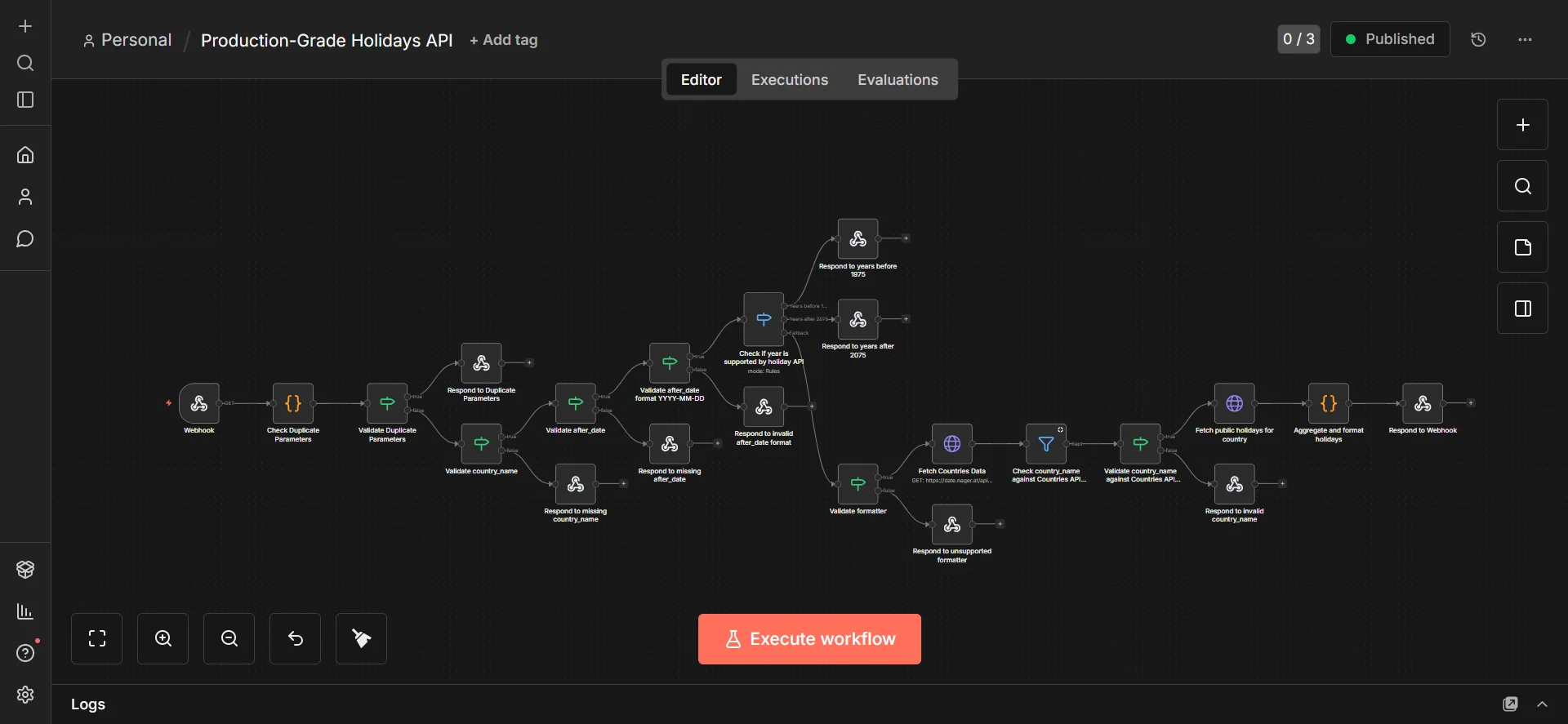
Stage 1 — Input Validation
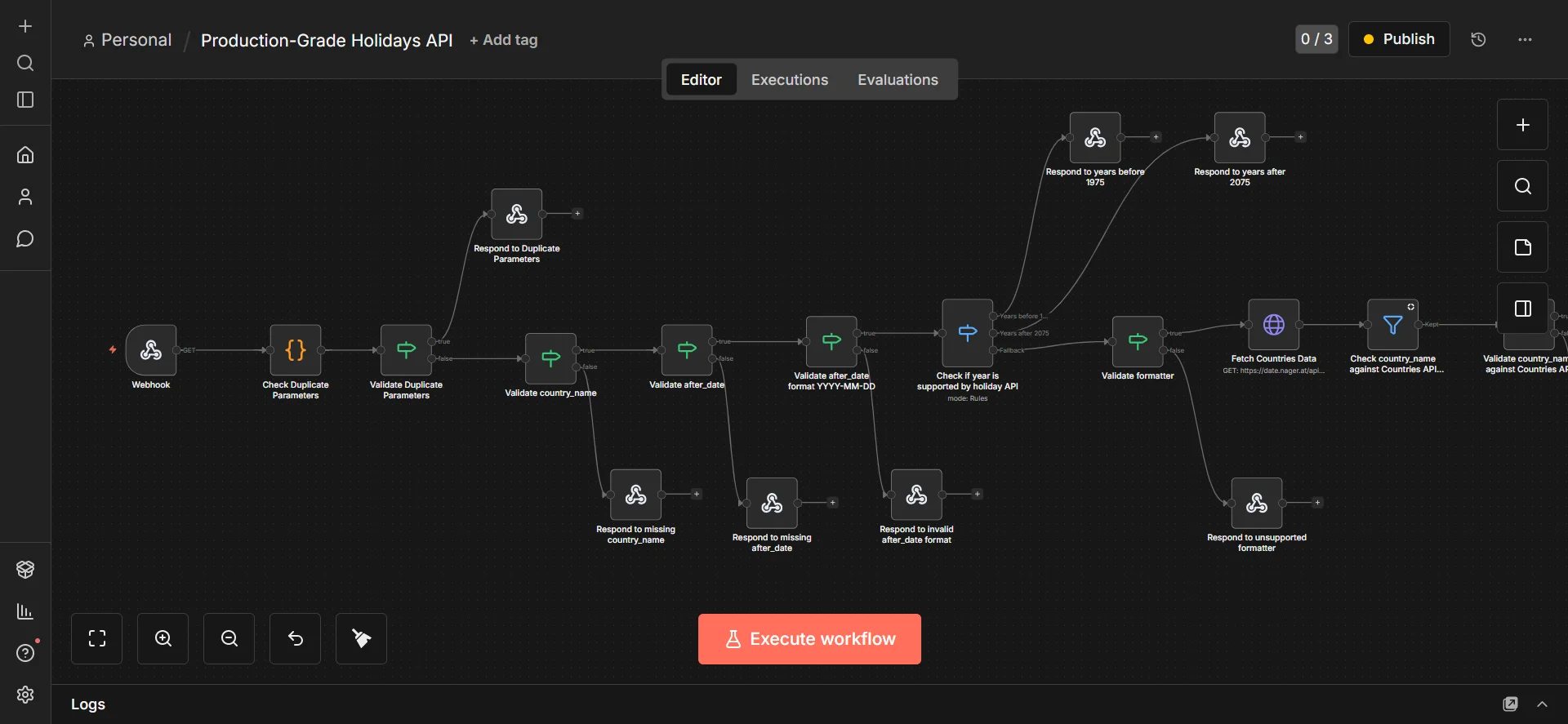
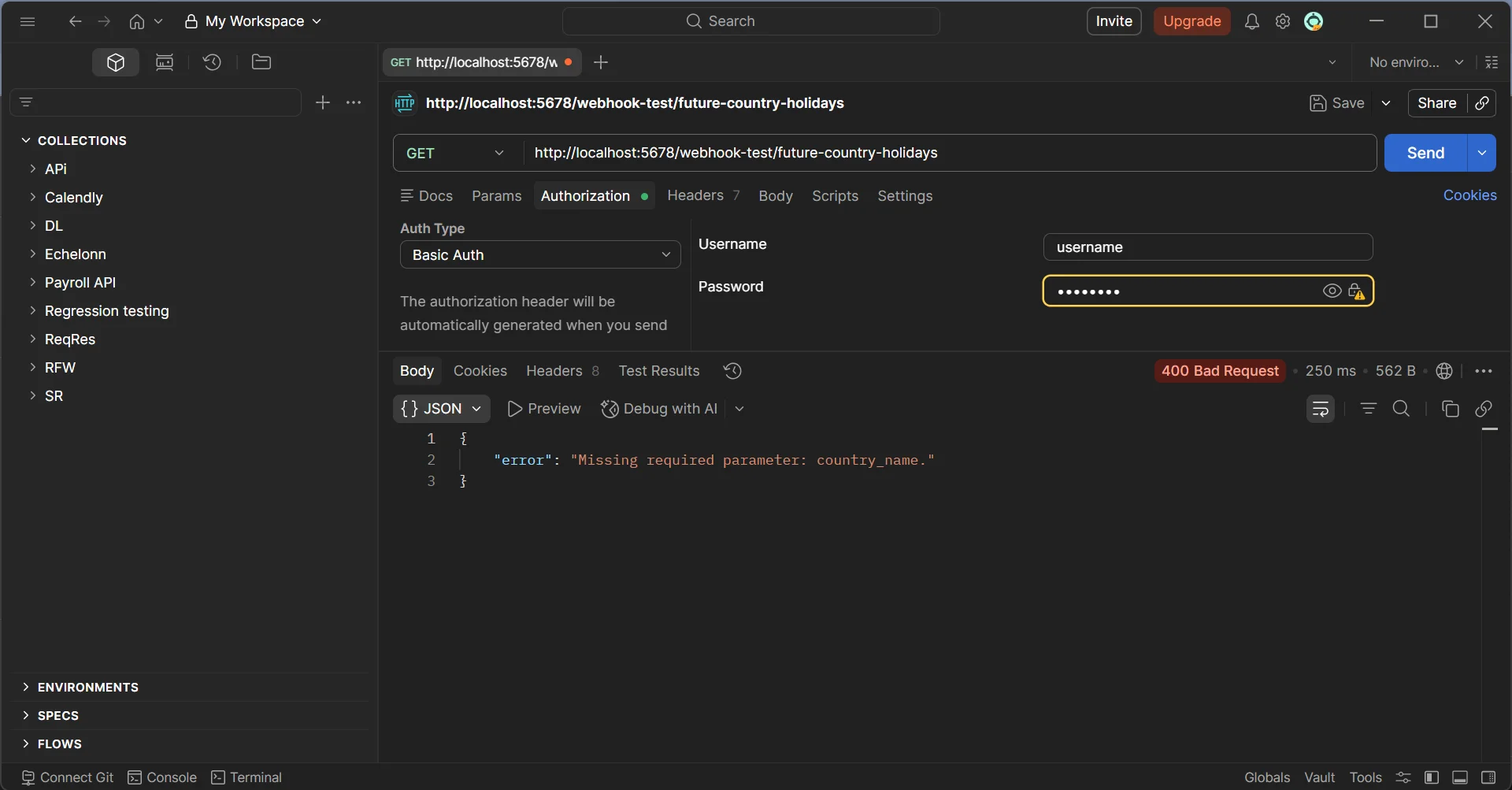
The first thing the workflow does after receiving the request is check for duplicate query parameters. This is an edge case most people miss. If a caller sends country_name=Austria&country_name=Germany the intent is ambiguous, so the workflow rejects it immediately with a clear error message.
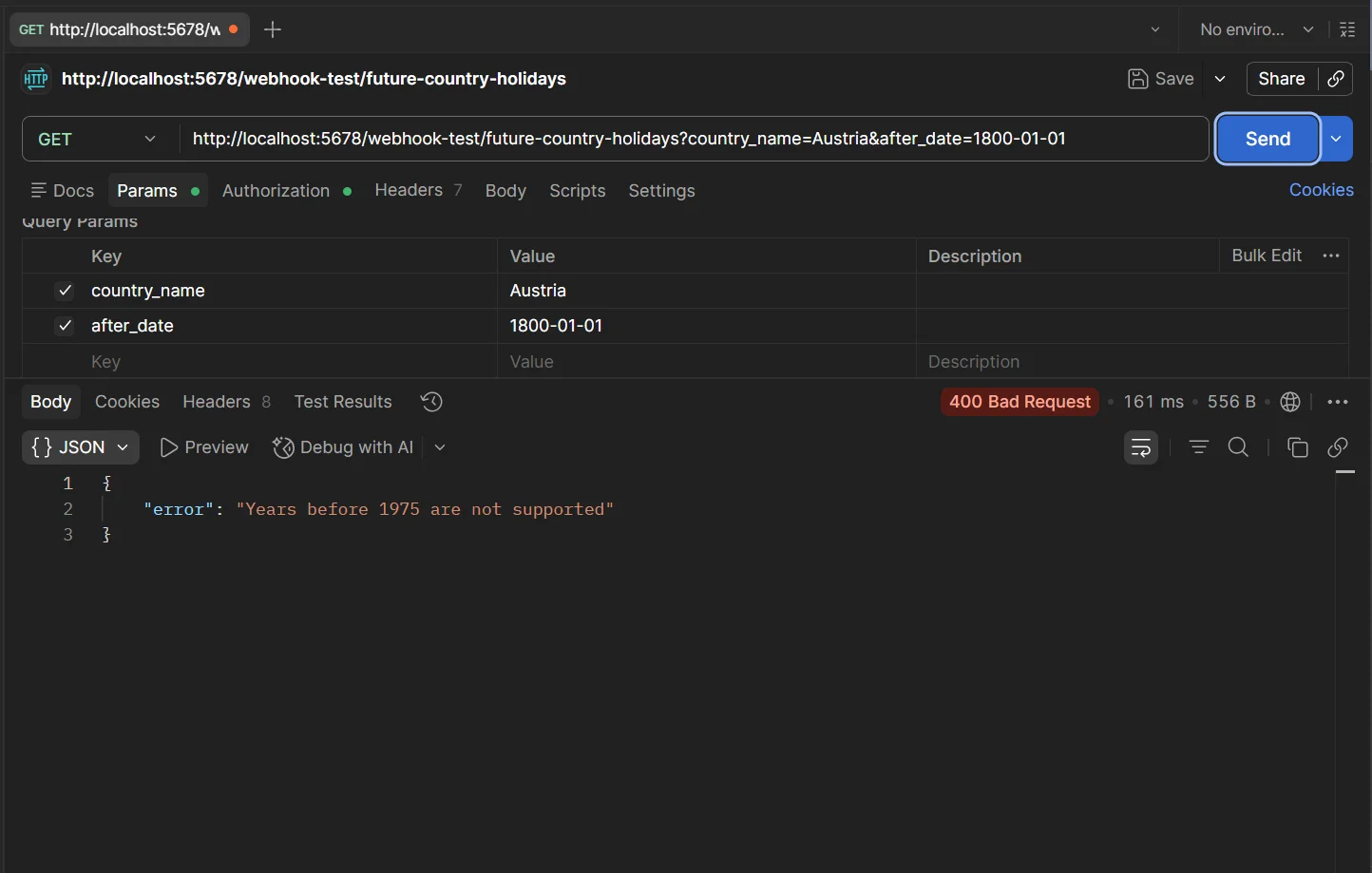
From there it validates in sequence. Is country_name present? Is after_date present? Does after_date match the YYYY-MM-DD format using regex validation? Is the year within the range the holidays API supports, which is 1975 to 2075? Is the formatter value either empty or exactly alternating_case_formatter?
Each check has its own dedicated error response node so the caller always knows exactly what went wrong and how to fix it. This is what separates a production API from a prototype.
Stage 2 — Country Validation
Rather than maintaining a hardcoded list of countries, the workflow fetches the live list from the Nager.at Country API and filters it against the provided country name using case-insensitive matching. This means the validation is always up to date with whatever countries the holidays API actually supports.
If the country name does not match any entry in the live list the workflow responds with a specific error rather than silently passing an invalid country to the holidays API.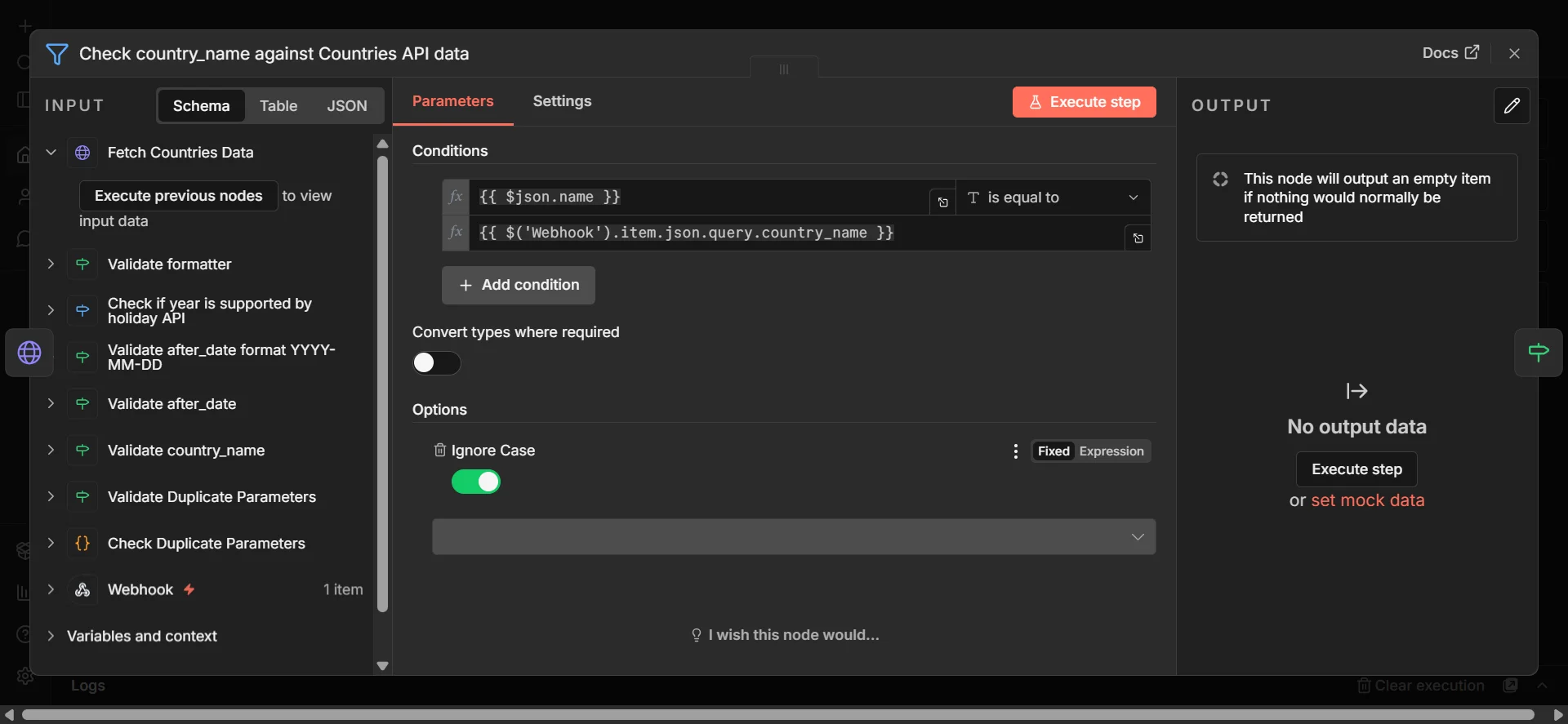
Stage 3 — Fetching Holidays
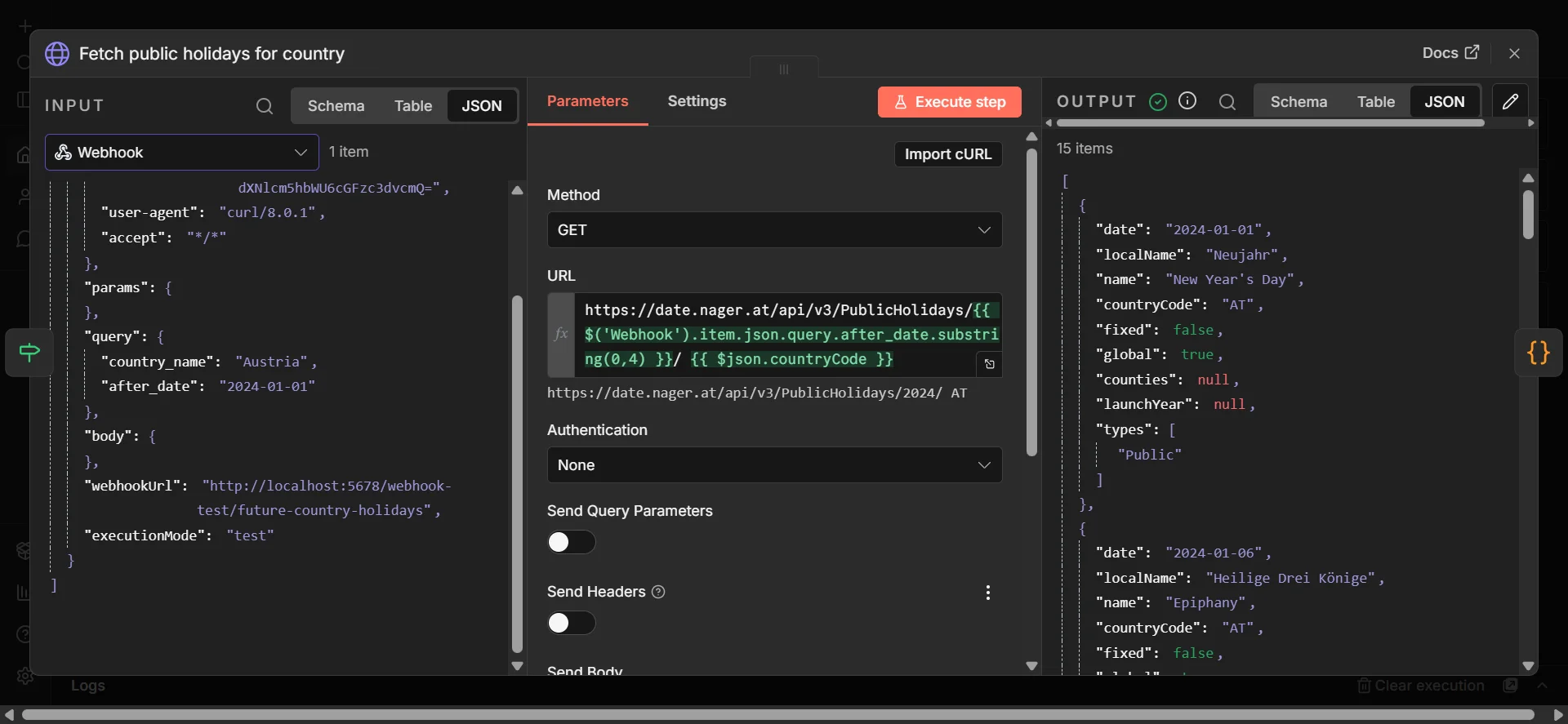
Once the country is validated the workflow extracts the country code from the API response and uses it to fetch public holidays for the relevant year from the Nager.at PublicHolidays API. The year is extracted directly from the after_date parameter so no separate year input is needed.
Stage 4 — Formatting and Transformation
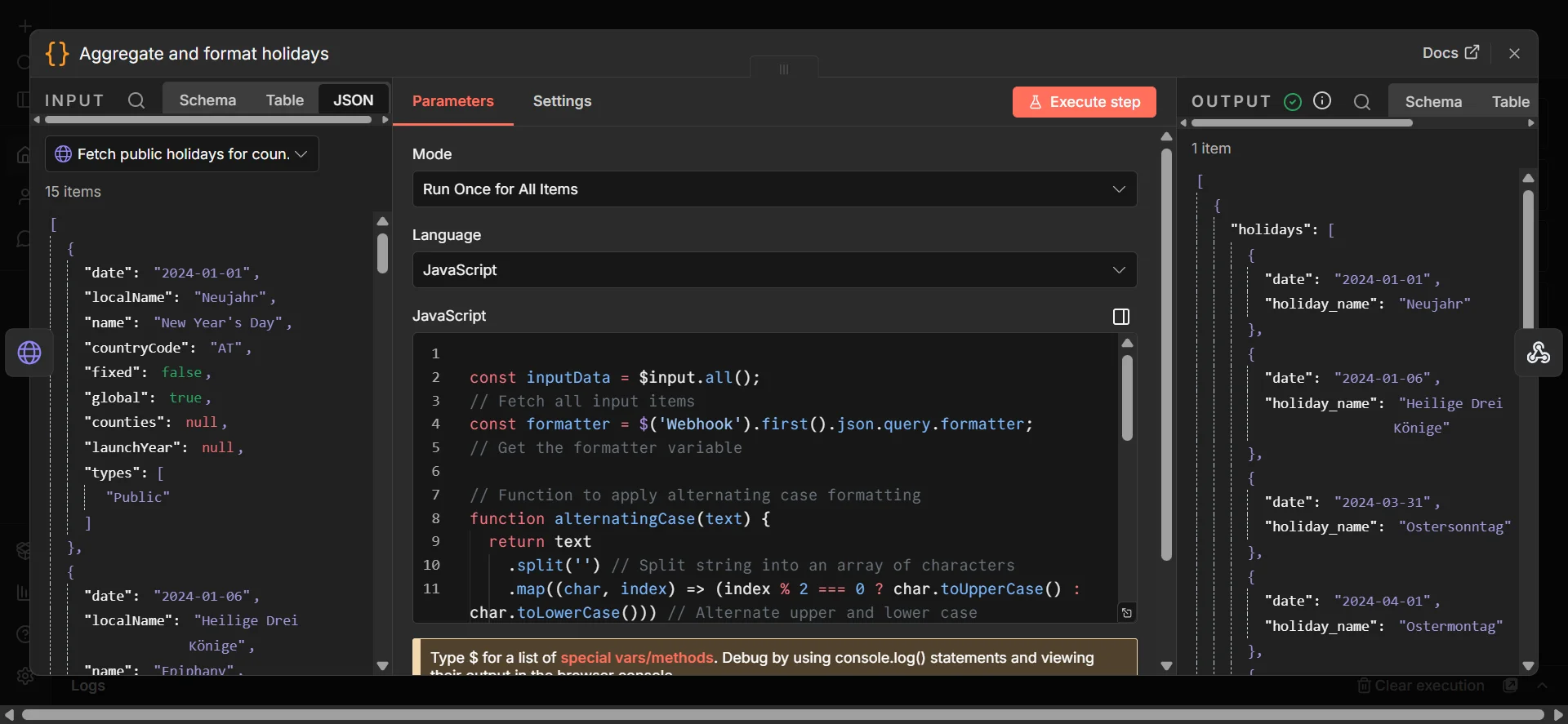
A JavaScript Code node handles two things. First it aggregates all holiday items into a single clean array. Second it applies formatting if requested.
The alternating case formatter works by splitting each holiday name into individual characters and alternating between uppercase and lowercase based on character index. The result is Neujahr becoming NeUjAhR.
The formatter logic is intentionally isolated in its own function inside the Code node. Adding a new formatter in future means adding one condition and one function and nothing else in the workflow needs to change.
function alternatingCase(text) {
  return text
    .split('')
    .map((char, index) => (index % 2 === 0 ? char.toUpperCase() : char.toLowerCase()))
    .join('');
}
Stage 5 — Response
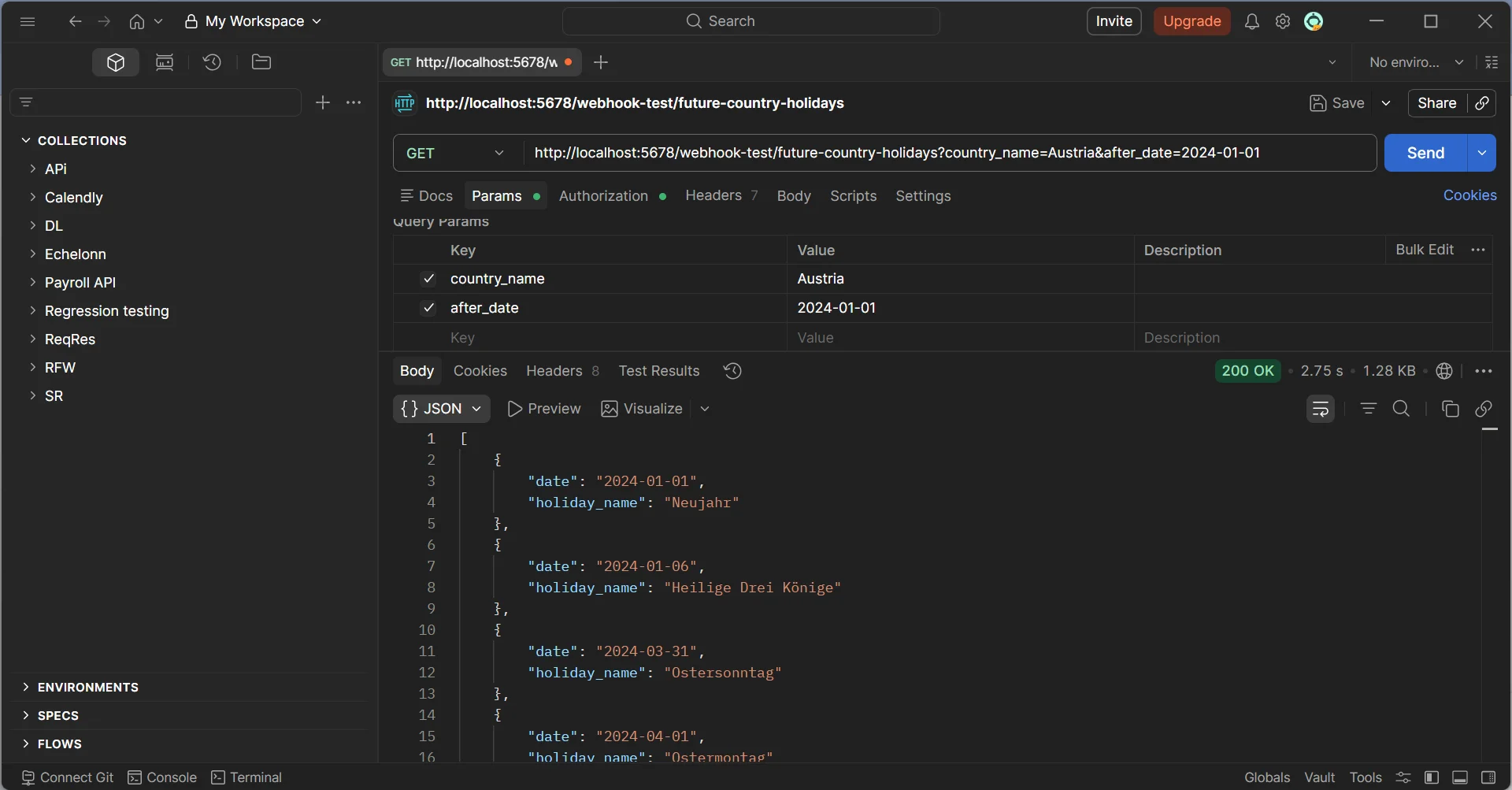
The final node returns the holidays array as clean JSON. For a valid request with no formatter the response looks like this:
{
  "holidays": [
    { "date": "2024-01-01", "holiday_name": "Neujahr" },
    { "date": "2024-05-01", "holiday_name": "Staatsfeiertag" }
  ]
}
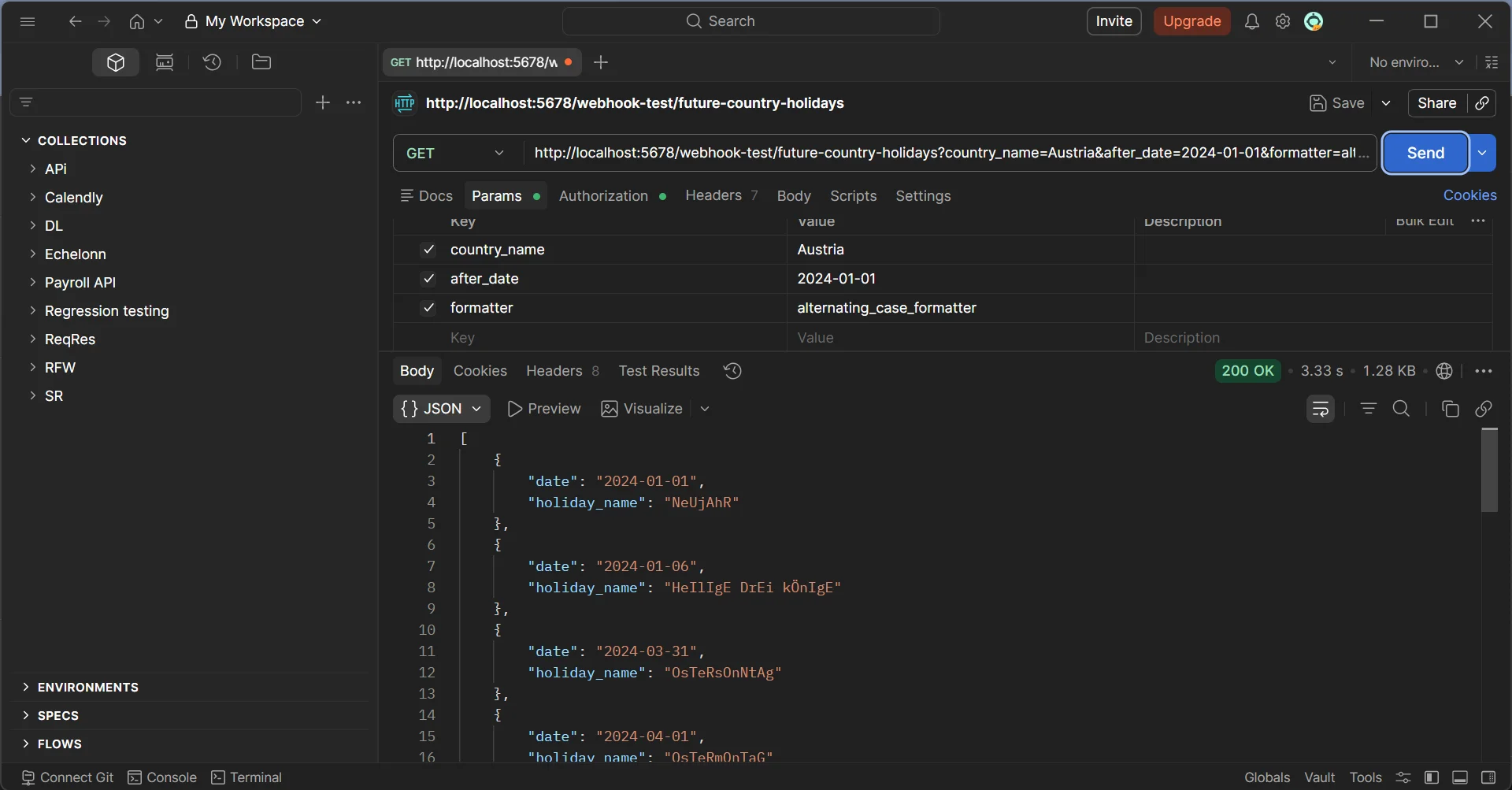
With the alternating case formatter applied:
{
  "holidays": [
    { "date": "2024-01-01", "holiday_name": "NeUjAhR" },
    { "date": "2024-05-01", "holiday_name": "StAaTsFeIeRtAg" }
  ]
}
Error Handling Coverage
The workflow handles every edge case with a specific response. Missing country name returns a 400 with a clear message. Missing after_date returns a 400. Invalid date format returns a 400 with format guidance. Year out of supported range returns a 400 with the supported range stated. Invalid country name returns a 400. Unsupported formatter returns a 400. Duplicate parameters return a 400 with the specific duplicate keys named.
No request falls through without a meaningful response.
Security
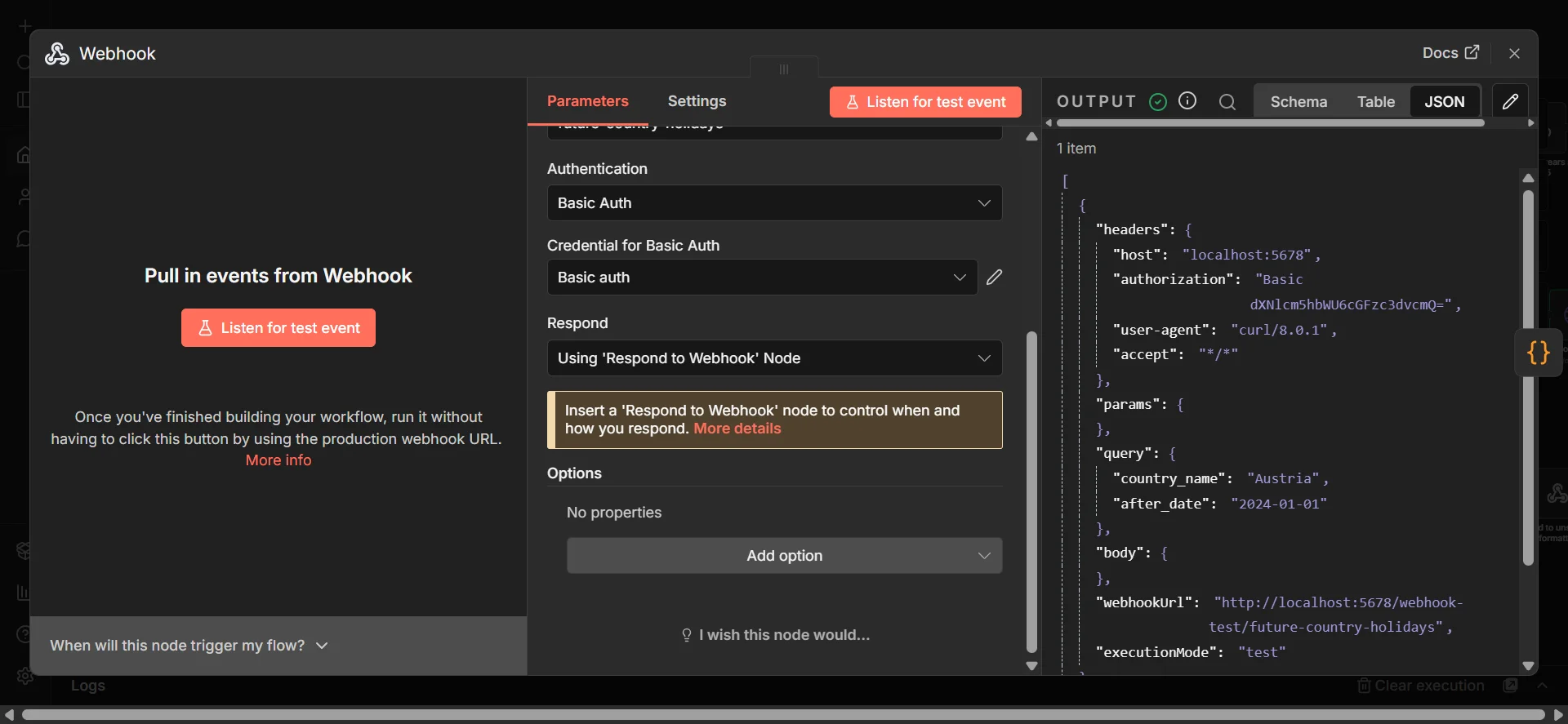
The webhook is protected with Basic Auth enforced at the n8n webhook node level. Credentials are stored in n8n's credentials manager and not hardcoded anywhere in the workflow.
What This Demonstrates
This project shows that n8n is capable of far more than simple automations. With the right structure you can build reliable, validated, extensible API endpoints that handle real world edge cases without writing or maintaining a backend server.
The same pattern applies to any workflow that needs to expose data to external systems. Internal tooling webhooks, data transformation pipelines, lead enrichment APIs, CRM update endpoints, scheduled reporting systems — the validation and error handling structure built here transfers directly to all of them. Any time you need a reliable, documented API layer without spinning up a full backend, this approach works.
Tools Used n8n · Nager.at Country API · Nager.at PublicHolidays API · JavaScript · Basic Authentication